Print contrast
Ribbon, label material and print heat can affect code contrast.
Improve barcode scan success by planning print quality, label placement and verification from the start.
A barcode label can look acceptable to the eye but still fail in a warehouse or customer scan process. Verification planning helps prevent unreadable labels, wrong data and poor label placement from reaching dispatch.
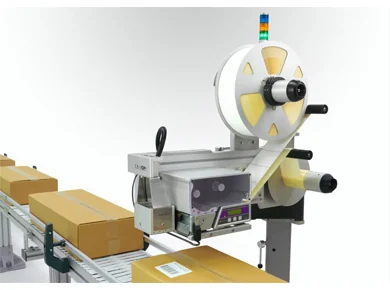
These details usually decide whether the system works reliably once installed.
Ribbon, label material and print heat can affect code contrast.
Position should match scanner access in the warehouse or customer process.
Small codes need higher print quality and careful artwork.
Product movement can affect print/apply timing and final label position.
Dust, moisture or damaged cases can affect scanning.
Use real labels, real packs and real scanner positions where possible.
The faster Lancing UK receives the practical line details, the faster the right machine can be shortlisted.
Use these pages to move from broad research into a specific machine or application.
Core UK supplier page for print and apply labelling machines.
RelatedAutomatic printer-applicator systems for production lines.
RelatedSSCC and GS1 labels for pallets and warehouse workflows.
RelatedOuter case barcode and batch label application.
RelatedPrint and apply labels from live or template data.
RelatedUnderstand what affects configured machine price.
RelatedCase, tote, dispatch and pallet labelling workflows.
RelatedUse automation to remove repetitive hand labelling.
Short answers for engineering, operations and purchasing teams.
Not always. It is most useful where unreadable labels would cause rework, chargebacks, rejected goods or warehouse delays.
A scanner can often be added after application to check readability or expected data.
It is the blank area around a barcode that allows scanners to read the code properly.
Test label material, barcode size, scanner position, pack surface and line speed where possible.
Send the pack size, label size, required label face, speed and data source. Lancing UK can advise the most suitable print and apply route.