Why do print and apply labels wrinkle, peel or miss the pack?

Wrinkled, peeling, skewed or missed labels usually come from one of five areas: pack presentation, label construction, label presentation, applicator geometry and timing, or surface and environmental conditions. Diagnose the problem in that order so a print setting is not used to mask a mechanical or material cause.

Direct answer

What this means for a real production line

The visible label fault is often downstream of its actual cause. Diagnose from roll unwind and label presentation through product control, applicator motion and adhesion, changing one variable at a time and retaining examples of both acceptable and failed packs.

  • Classify whether the fault occurs before, during or after label transfer.
  • Compare the label, pack and machine condition in normal and failed cycles.
  • Return to a recorded baseline before making the next adjustment.
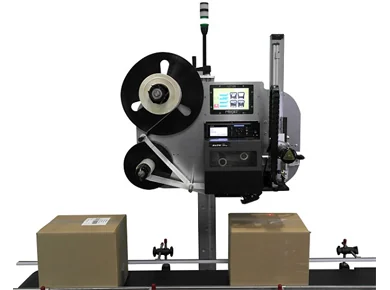
Automatic case labeller used for print and apply troubleshooting
Fault isolation

Separate the symptom from the part of the process causing it

Observe the final label and the cycle evidence without bypassing guarding or defeating safety controls. Maintenance and adjustments must follow the machine instructions and the site's isolation procedures.

Wrinkled or folded labelCheck pack movement, flatness, label stiffness, pad or wipe angle, contact sequence and whether the label reaches an edge or surface change.
Skewed placementCheck product guides, product rotation, detection position, applicator alignment and timing relative to the moving pack.
Edge lift or peelingCheck substrate, contamination, application temperature, pressure or wipe contact, label stock and downstream rubbing.
Label remains on the padCheck label presentation, vacuum release, airflow, static, curl, timing, pad condition and whether the pack entered the expected application window.
Applicator misses the packCheck product detection, pack gap, tracking, reach, stroke, conveyor variation and whether the line allowed an incomplete cycle to start.
Barcode fails after applicationCheck wrinkles, curvature, damage, glare, quiet-zone intrusion, orientation and downstream scanner geometry as well as print quality.

Use a controlled diagnostic sequence

Change one verified variable at a time and retain the failed label, pack image and machine event information. Random adjustment can temporarily move the symptom while leaving the root cause in place.

Confirm the fault pattern

Record which SKU, label roll, speed, temperature, pack condition and time in the roll or shift produces the fault.

Check pack control

Verify guides, orientation, gap, stability and the product-detection point before changing applicator settings.

Check label presentation

Inspect loading, liner path, die-cut release, curl, pad position and whether the label is flat and stable before application.

Check application and adhesion

Review reach, angle, timing and contact, then assess the surface, environment and label stock.

Know when to stop adjustment

Stop the line and involve a competent engineer when a fault involves guarding, unexpected motion, repeated applicator collision, damaged wiring or pneumatics, uncontrolled product release, or any change that would require bypassing a protective device. A labelling-quality issue is not a reason to defeat a safety function.

  • Retain representative failed and acceptable packs.
  • Record fault codes and the sequence immediately before failure.
  • Mark the label roll and ribbon batch where relevant.
  • Capture a clear line video from outside the guarded area.
  • Document any setting change and its result.
Buyer questions

Common questions about this decision

These answers identify the variables that should be confirmed before a machine, label or control sequence is fixed.

Can increasing tamp pressure fix a wrinkled label?

More pressure is not a universal remedy. It may worsen distortion or damage a weak pack. First confirm pack stability, label flatness, contact geometry and whether the label crosses a seam, edge or changing surface. Pressure should remain within the machine and label supplier’s approved operating range.

Why does the fault appear only at higher line speed?

Higher speed reduces the available product gap and application window. Pack bounce, timing variation, label presentation and applicator reset may become significant only near the cycle limit. The fault should be reproduced with recorded speed, gap and product condition.

Why can a label stay on the vacuum pad?

Possible causes include incomplete vacuum release, static, label curl, unsuitable pad condition, incorrect blow timing, a missed product or the label not being presented in the expected position. The inspection should cover both label media and the complete application sequence.

Can cold conditions cause a label to peel?

Application temperature can affect initial tack, while cold service can affect facestock and adhesive performance. The correct response is to select and test label stock for both the application temperature and the later storage or distribution environment.

What evidence helps diagnose an intermittent label fault?

Useful evidence includes the failed pack and label, SKU, label and ribbon batch, time, speed, product gap, temperature, machine fault history, settings, sensor state and a video of the sequence. This helps separate a repeatable condition from a random adjustment effect.
Need this answer applied to your line?

Send the label, pack dimensions, application position, line video, data source and required checks. Lancing UK can identify what must be confirmed before quotation.

Call nowContact us