Wrong unwind direction
The label may face the wrong way for the print engine or applicator. Show the roll as viewed from the loading side and mark the leading edge of the label.
Define the complete media construction and prove it in the intended print engine, applicator and production environment.
A usable print-and-apply media specification includes more than label width and height. It should define facestock, adhesive, liner, gap or registration mark, core, roll diameter, unwind direction, label pitch and—where thermal transfer is used—the ribbon width and formulation. The final combination must be proven in the intended print engine and applicator with representative packs and environmental conditions.
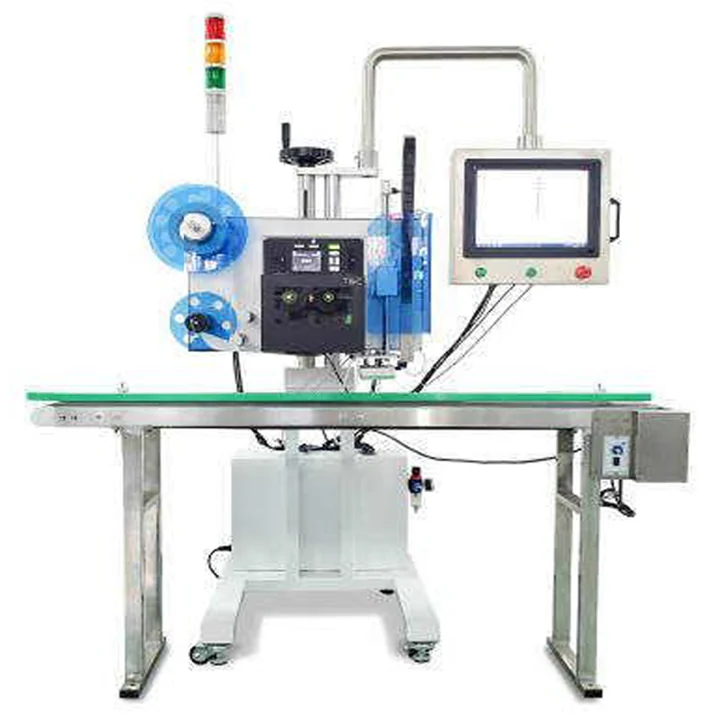
The machine builder and label converter should work from the same controlled specification.
| Item | Why it matters | Evidence to provide |
|---|---|---|
| Finished label dimensions | Set the printable area, peel behaviour, pad size and application geometry. | Final drawing and artwork with orientation shown. |
| Pitch, gap or registration mark | Allows the print engine to identify each label consistently. | Converter drawing and representative roll. |
| Facestock | Affects print method, stiffness, conformability, durability and release from the applicator. | Material name and approved sample. |
| Adhesive | Must suit the pack surface, temperature, storage, handling and required removability or permanence. | Technical data from the label supplier and pack samples. |
| Liner | Influences feeding, die-cut quality, peel consistency and waste rewind. | Converter specification and full roll. |
| Core, maximum roll and unwind direction | Must physically match the printer, unwind and label presentation path. | Dimensioned roll diagram viewed from the loading side. |
| Ribbon | Thermal-transfer print quality and durability depend on ribbon, facestock and settings working together. | Ribbon grade, width, winding and approved print sample. |
Direct thermal media forms the image when the printhead heats the label surface and does not use a ribbon. Thermal transfer uses a heated ribbon to transfer the image to the label. Direct thermal can simplify consumables for labels with a suitable service life; thermal transfer is commonly considered when greater image durability or a wider media choice is needed.
The decision must be tested against the intended storage, heat, light, abrasion, chemicals and scan-life requirements. Zebra's technical explanation of direct thermal and thermal-transfer printing provides an authoritative overview of the two print methods.
For thermal transfer, the ribbon must be compatible with the facestock and wide enough for the active print area. A narrow or poorly matched ribbon can reduce image quality and may leave parts of the printhead insufficiently protected. The approved combination should include darkness, speed and energy settings rather than relying only on a ribbon name.
The label may face the wrong way for the print engine or applicator. Show the roll as viewed from the loading side and mark the leading edge of the label.
Variation in pitch, gap, liner damage or matrix removal can cause registration errors. Test full production rolls, not only hand-cut samples.
Dust, coatings, condensation, low-energy plastics, cold packs and rough board can change adhesion. Use representative packs in the real temperature and handling sequence.
Barcode quiet zones, text and graphics need space within the usable print area and die-cut tolerance. Approve the final label artwork before machine acceptance.
A ribbon that works on one facestock may not give the same density, durability or release on another. Approve the complete combination and record the settings.
Core, outside diameter, web width and weight affect loading and unwind. Supply a converter drawing and a complete representative roll.
Possibly, but the roll must be checked for print method, dimensions, pitch, core, outside diameter, winding direction, liner, adhesive and compatibility with the applicator. A visually similar roll is not enough evidence.
Provide enough full-width production material to test setup, steady running, changeover, faults and the complete pack range. A few loose labels cannot prove unwind, registration, waste rewind or consumable change behaviour.
Send the final artwork, converter drawing, full label roll, ribbon where applicable, minimum and maximum packs, and any pack with the most difficult surface or environmental exposure.
The buyer should retain one approved specification shared by the label converter, ribbon supplier, machine supplier and production team. Changes should be reviewed and trialled rather than introduced only by purchasing reference.
Lancing can review final artwork, roll construction, ribbon, pack surface and application position as part of the machine and trial specification.