Before changeover
Identify the new product, approved label, roll and ribbon where used. Clear the previous pack and label state so the old job cannot continue unnoticed.
Plan cleaning, consumables, access, recipes, first-off approval and fault diagnosis around the complete labelling cycle.
Reliable operation depends on more than the print engine. Label rolls, ribbon where used, sensors, peel edge, applicator pad, vacuum or air supply, product trigger, pack presentation and line controls all contribute to the completed cycle. A maintenance plan should therefore follow the failure modes of the installed configuration.
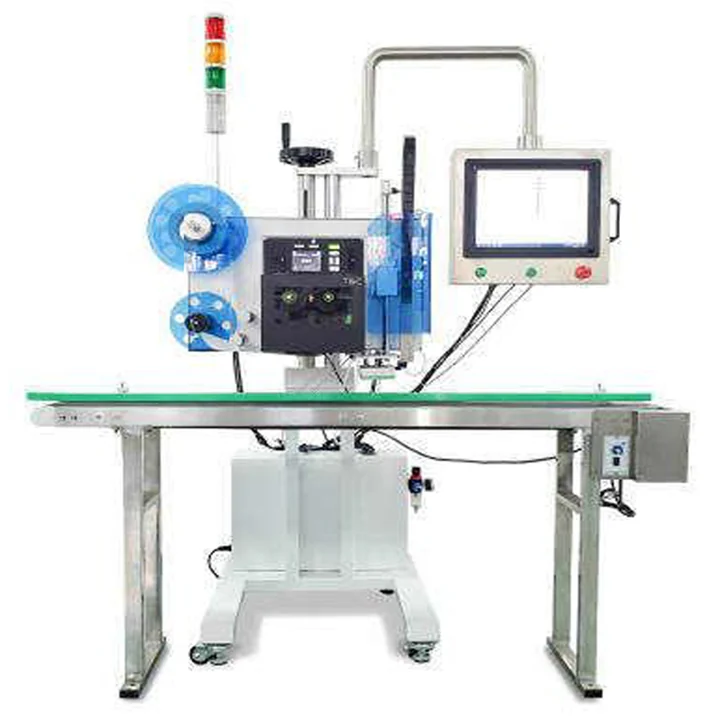
Frequency and method must be taken from the installed machine documentation and site conditions.
| Print path | Printhead, platen, ribbon and media tracking, sensors, peel edge and contamination that can affect registration or image quality. |
|---|---|
| Application path | Pad or contact surface, vacuum ports, blow-off, slide or arm movement, home sensors and mechanical looseness. |
| Product handling | Conveyor guides, trigger position, pack gap, stops, accumulation and any movement that changes application distance. |
| Utilities | Electrical condition, compressed-air quality and pressure where required, filters and network or data connections. |
| Software and records | Approved templates, recipes, access control, alarm history, reprint events and configuration backup. |
| Safety | Guards, interlocks, emergency stops and safe access must be maintained and tested under the site’s competent safety procedure. |
Identify the new product, approved label, roll and ribbon where used. Clear the previous pack and label state so the old job cannot continue unnoticed.
Use defined mechanical references, load consumables correctly, select the approved job and confirm the data source. Avoid unrecorded trial adjustments becoming the new default.
Inspect the first print, apply it to a representative pack, check placement and scan the actual symbol. Verify the line response to a stopped or rejected pack where relevant.
Change one factor at a time and keep the affected pack and label available.
Separate data request, print, label presentation, application, inspection and reject handling.
Confirm consumables, contamination, pack position, sensor state, label path and applicator home position.
Compare the active job, recent changeover and alarm history with the approved configuration.
Run representative packs through normal and fault conditions before returning the line to routine production.
Use these answers when planning training, spares and maintenance access.
Follow the machine and print-engine instructions, with particular attention to the media path, printhead, platen, peel edge, sensors, applicator pad, vacuum or air system and any moving guards or actuators.
Use controlled recipes or settings, clearly identified consumables, defined mechanical reference points and a first-off label/pack check before normal release.
Cleaning frequency and method must follow the print-engine manufacturer’s instructions and the actual contamination level. Never use an unapproved tool or chemical.
Base the list on criticality, wear history, supplier lead time and the installed configuration. Typical categories include sensors, belts, pads, filters, print-engine wear items and approved consumables, but the final list is machine-specific.
Record active job, consumables, product, line state, alarm, prepared-label state, environmental condition and the action taken. Photos and retained failed labels can be useful.
Use the machine, integration and site pages to turn routine cleaning, format changes, access and spares into a configuration-specific plan.
Send the format range, shift pattern, access constraints, consumables and known maintenance expectations.
Send line photographs, available clearance, product range, consumable details and site maintenance expectations so access can be reviewed before quotation.