Choose print and apply
Use it when the label must be generated from live production or logistics data and each pack must remain tied to the correct record.
Choose between live variable-data printing and controlled pre-printed label application.
Print-and-apply systems create variable information immediately before applying the label. Apply-only systems dispense a label that has already been printed. The right architecture depends on data timing, stock control, changeovers, traceability and the consequence of applying the wrong label.
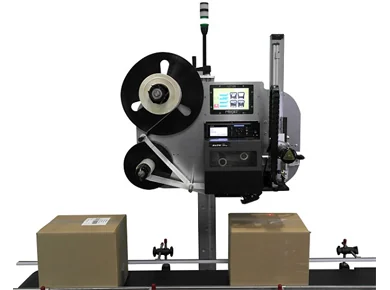
Choose the process that controls the real source of labelling risk.
| Label content | Print and apply supports live variable fields. Apply-only suits an approved pre-printed label whose content is fixed before it reaches the line. |
|---|---|
| Data timing | Print and apply can wait for order, batch, serial, destination or pallet data. Apply-only depends on the correct physical label stock being available and selected. |
| Inventory | Print and apply can reduce pre-printed SKU stock but adds blank media and possibly ribbon. Apply-only can simplify the line machine but requires controlled printed-stock inventory. |
| Changeover | Print and apply changes template/data and consumables. Apply-only changes label rolls and must prevent the previous stock remaining active. |
| Inspection | Both may require presence and placement checks. Variable-data applications may also require expected-data comparison or barcode verification. |
| Failure recovery | Both need a controlled response to a prepared label, partly applied label, stopped pack or authorised replacement. |
Use it when the label must be generated from live production or logistics data and each pack must remain tied to the correct record.
Use it when the label is fixed, approved and reliably controlled as physical stock, and there is no benefit in printing at the line.
Some packs carry a fixed branding or compliance label plus a variable logistics label. Treat them as separate controlled label roles rather than one ambiguous process.
Start with information ownership rather than machine preference.
Identify which values are fixed and which become known during production or dispatch.
Compare digital job selection and data validation with physical pre-printed stock selection and reconciliation.
Include consumables, roll changes, ribbon where used, template control, stock management and first-off checks.
Test stops, partial applications, wrong stock, unavailable data, reprints and relabelling before acceptance.
Answers for selecting the label-generation architecture.
An apply-only labeller dispenses and applies a label that has already been printed. It does not create variable information at the application point.
It is preferable when information changes by product, order, batch, destination, serial or pallet and the label should be produced immediately before application.
It can be simpler where the label is fixed, securely controlled as pre-printed stock and does not need live production data.
Yes, where different label roles justify separate fixed and variable labels. The controls must prevent the wrong stock or job being applied.
No. Label presence, correct stock, placement and pack identity may still need controls even when the label was printed elsewhere.
Use the variable-data, automatic-application and buying pages to allocate fixed labels, live data and inspection to the correct process.
Send examples of every label role, identify which fields change and explain how the physical pack is selected.
Lancing can review variable fields, pre-printed stock, changeovers and inspection to identify the simplest controlled architecture.